
Deben Webhooks allow you to listen for specific events occurring on the Deben Platform — such as payment updates or reconciliation changes — and receive real-time notifications to your configured endpoints.
When an event occurs, Deben sends a POST request to your webhook URL with the event payload, allowing you to automate workflows, update your system state, or trigger downstream actions.
🧩 1. Prerequisites
Before creating a webhook, ensure that:
- You have a valid Deben Portal account
- Your account has Developer or Administrator permissions
- You have an active and secure webhook endpoint (HTTPS) ready to receive event payloads
- Your endpoint can handle JSON-formatted POST requests
🧭 2. Accessing the Webhooks Section
- Log in to the Deben Portal
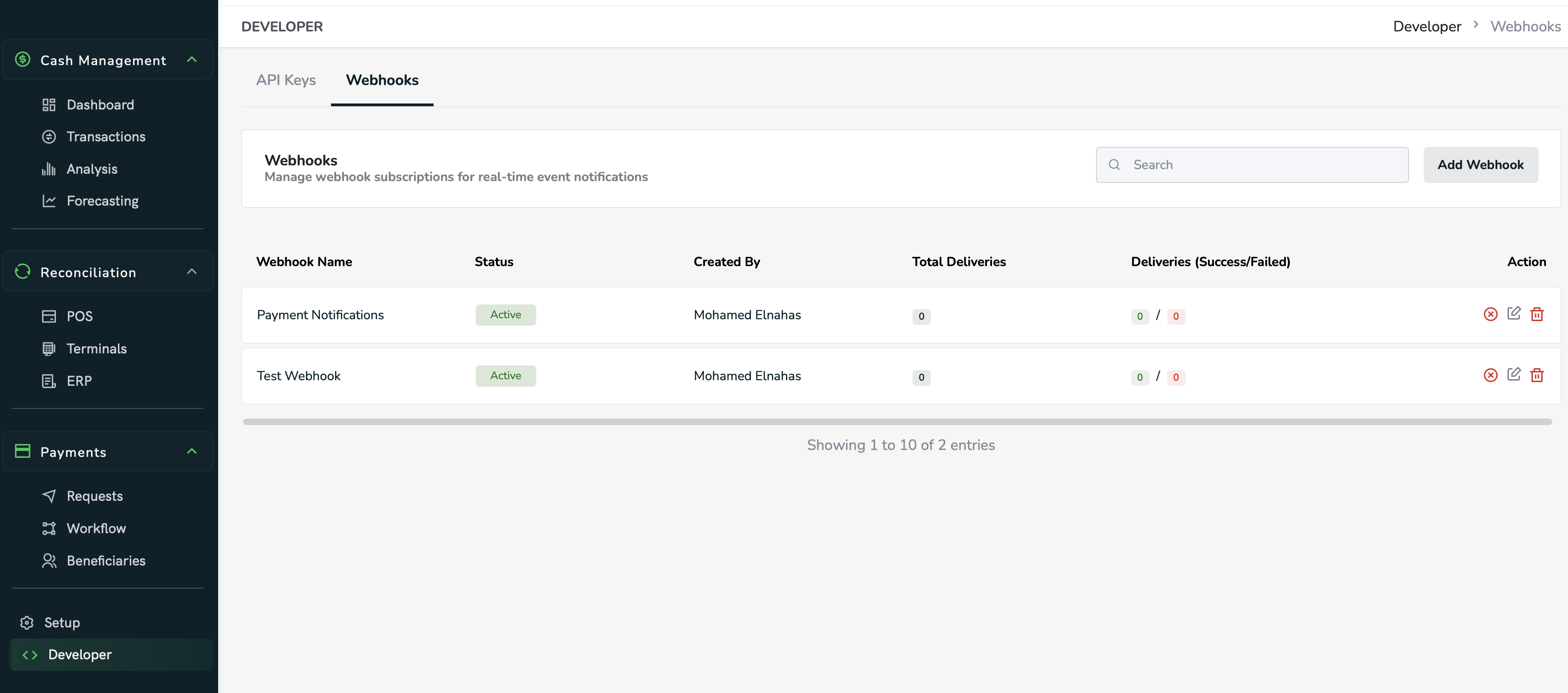
- From the sidebar, navigate to Developer → Webhooks
- You’ll see a list of your existing webhook subscriptions (if any)
- Click Add Webhook to create a new subscription
🪄 3. Creating a Webhook
In the Add Webhook dialog:
- Webhook Name → Enter a meaningful name (e.g.,
Payment Notifications) - Event Types → Select one or more events you want to listen to:
Payment Status Updates- (Additional event types may be available depending on your account)
- Webhook URL → Provide your HTTPS endpoint that will receive event data
- Description → Optionally describe the purpose of this webhook (e.g., Listen to any payment updates in the tenant)
- Click Add
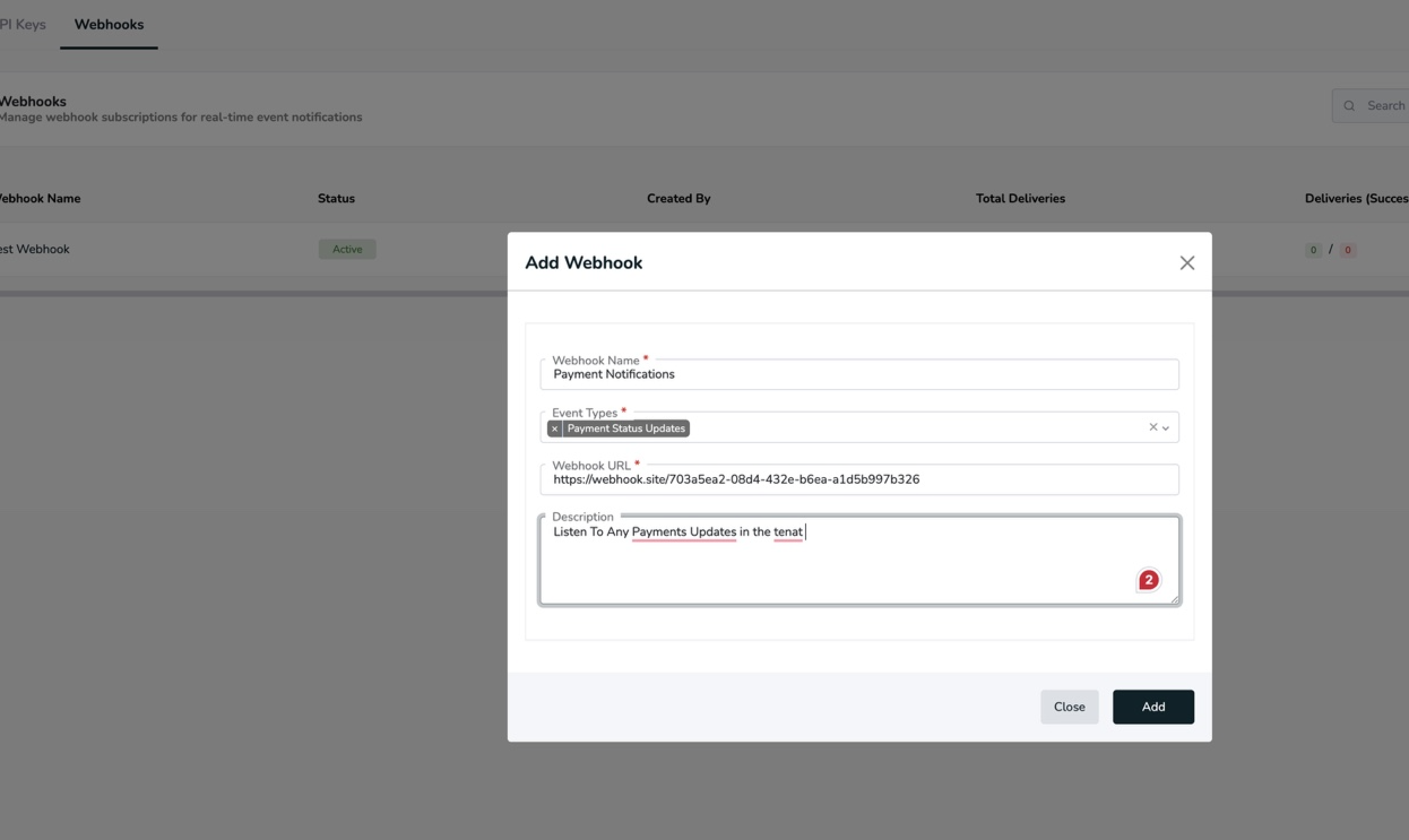
Once added, the webhook will appear in your list with Active status.
📬 4. Webhook Details
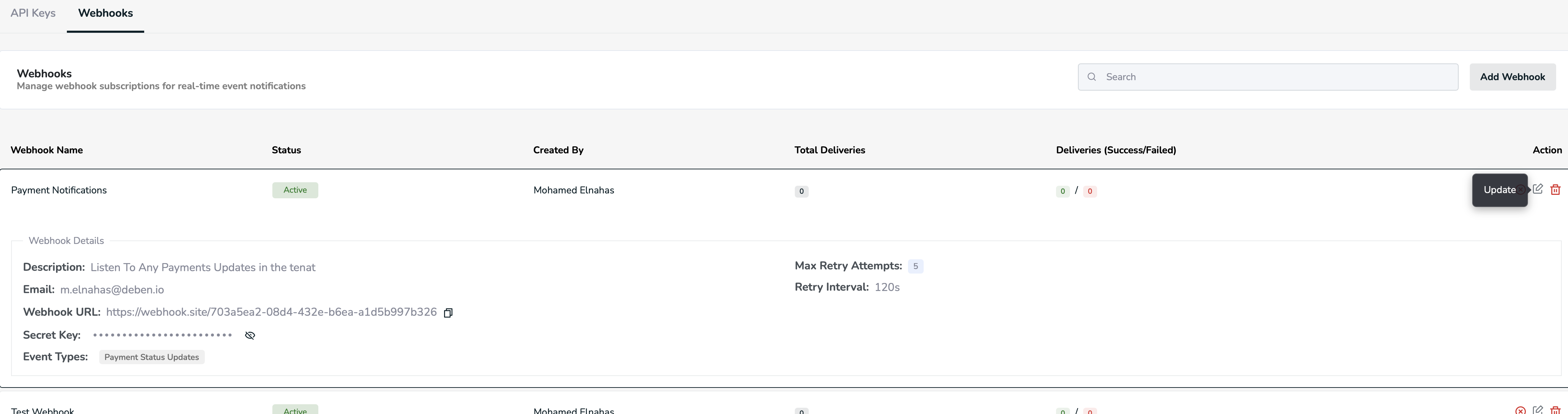
Each webhook entry includes:
- Description — A short explanation of its purpose
- Email — The creator’s registered email
- Webhook URL — The destination endpoint for event payloads
- Secret Key — Used to verify event authenticity
- Event Types — The events this webhook subscribes to
- Retry Policy — Deben automatically retries failed deliveries
- Max Retry Attempts: 5
- Retry Interval: 120 seconds
You can edit, deactivate, or delete any webhook using the icons in the Action column.
Updated 12 months ago
Did this page help you?